🚪Bookable Spaces: Guest Suites

Extend your home at Culdesac! Bookable spaces provide flexibility for Culdesac Tempe residents.
Bookable spaces are bookable through your resident app for a fee. Once you are booked, you will receive an email from the leasing team walking you through access.
Guest Suites-
For availability inquiries, please contact the Leasing Office
Check-in at 3p
Check-out at 11a
Pricing:
- $50/night + $100 cleaning fee
*We do not allow early check-in or late check-out, same-day bookings or bookings to begin on Sundays*
These suites currently do not contain hotel amenities, like daily housekeeping, toiletries or hair dryers.
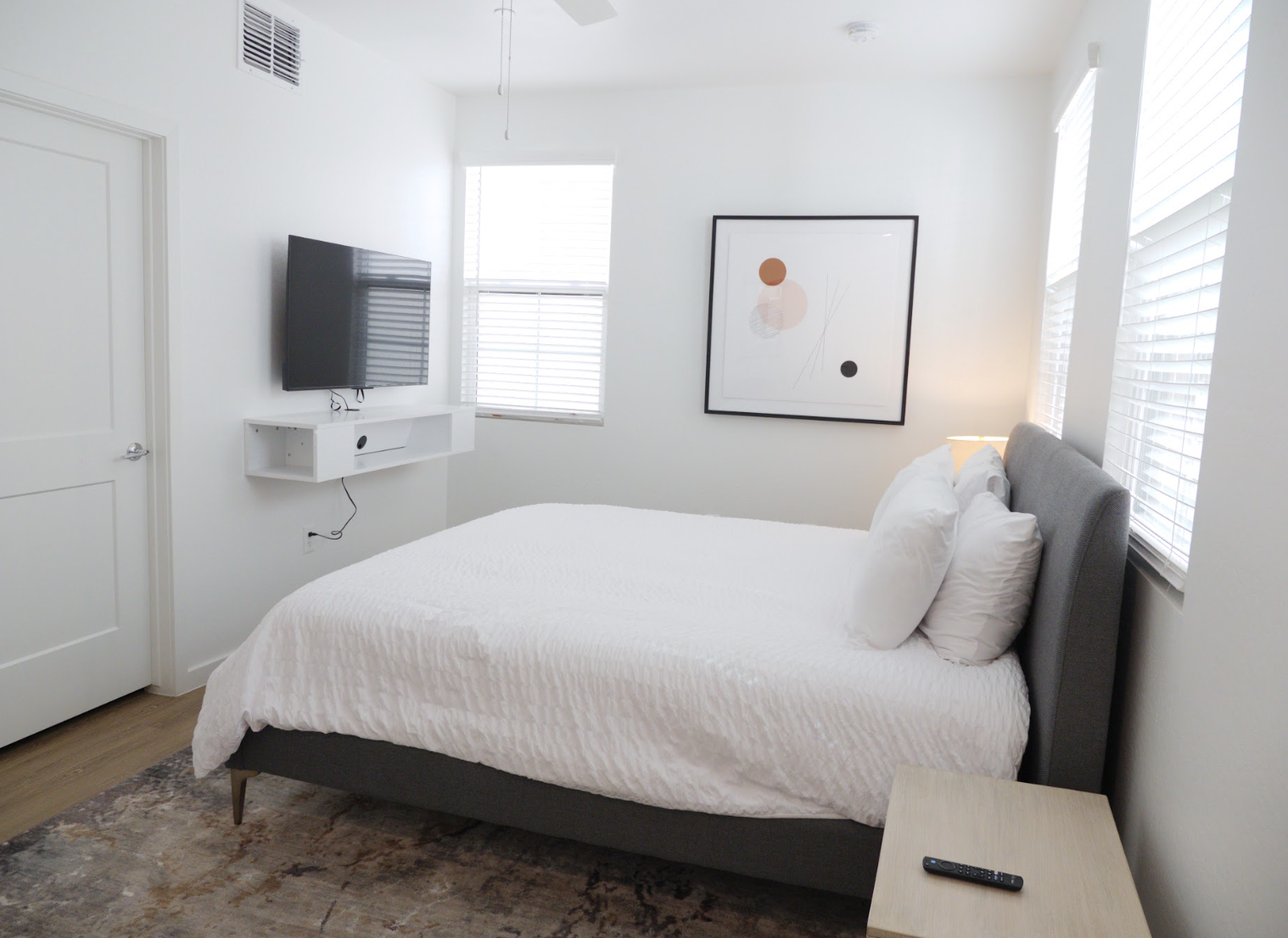
Guest suites provide a home-away-from-home experience for visitors. Each suite is equipped with all the necessary amenities to cater to the needs of guests, making it an ideal choice for friends and family who want to stay close, but not too close!
Locations:
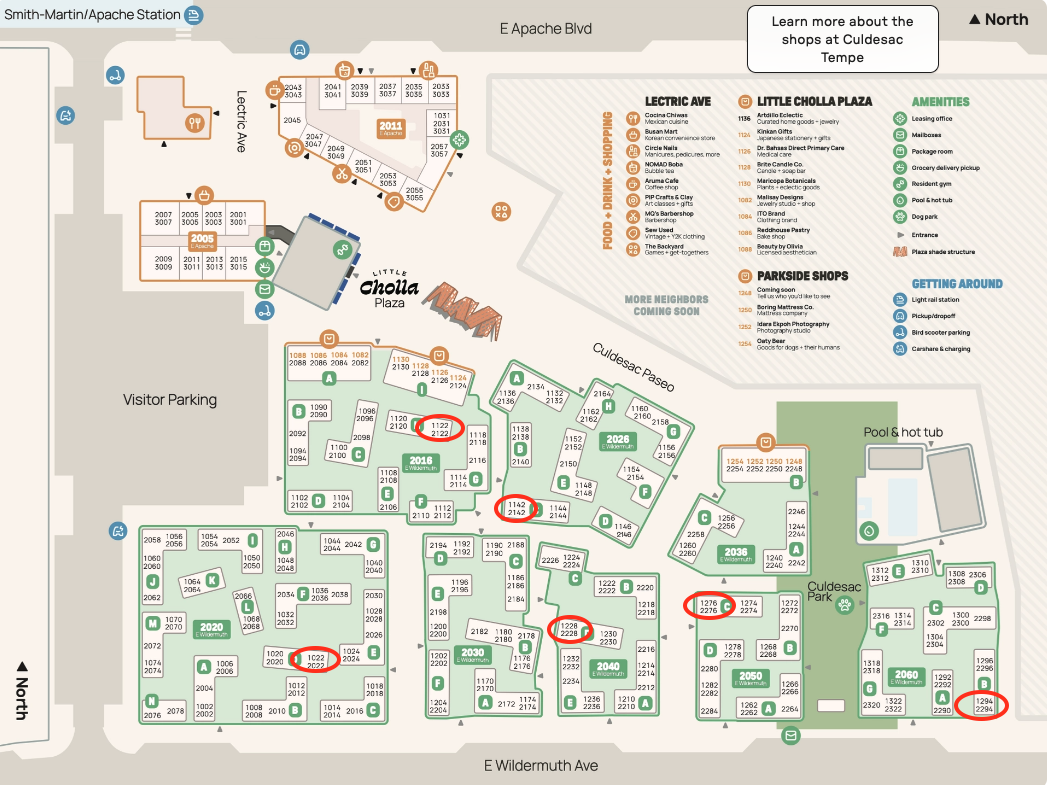
Block 2016 - 1122
Block 2020 - 1022
Block 2026 - 1142
Block 2040 - 1228
Block 2050 - 1276
Block 2060 - 1294
Features:
- Queen or King bed
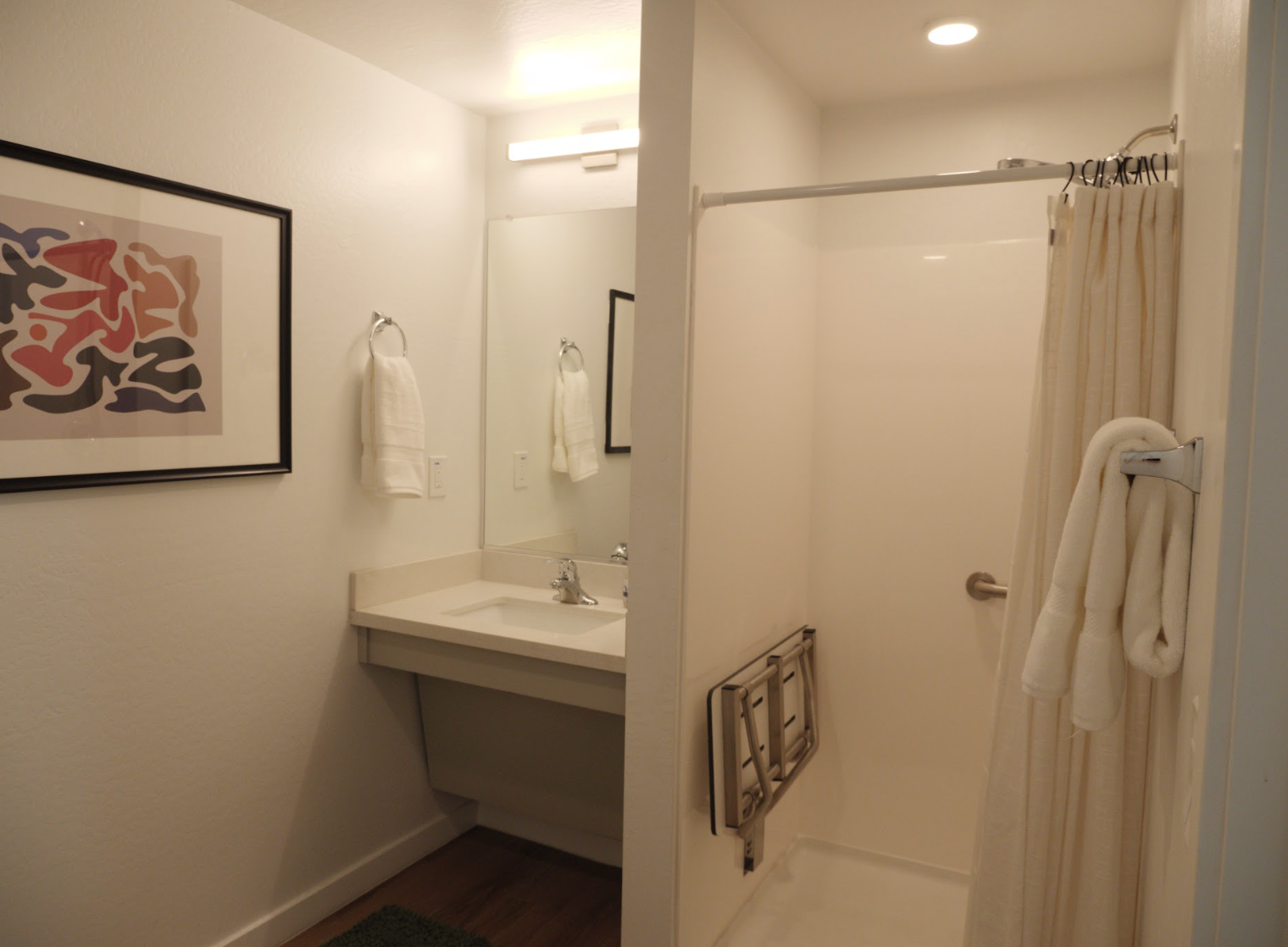
- En-suite bathroom
- TV (1022, 1122, 1142, 1276 only)
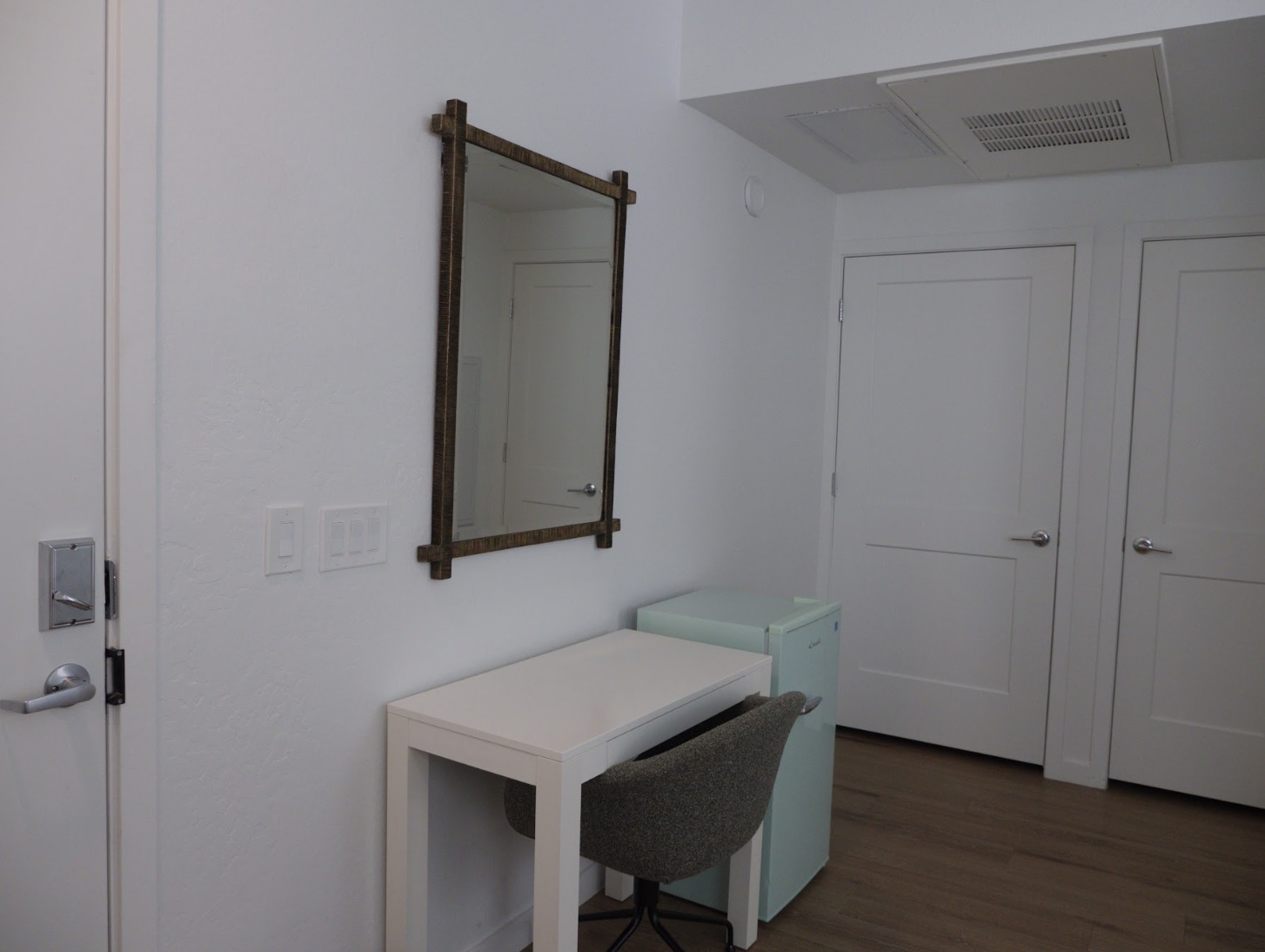
- Mini-fridge (1122, 1022, 1142 only)
- Storage space for personal belongings
Pricing:
- $50/night + $100 cleaning fee
We do not allow animals in these units. Please contact the Leasing Office for special accommodations.
Booking Instructions
- Navigate to your resident portal.
- Find the amenities list by navigating to Community > Amenities. Click the amenity you want to book.
- Select the date or dates you want to book the amenity for.
- Select the payment method you use to pay rent. You will not be charged immediately–the amenity fee and an additional cleaning fee will be added to your monthly ledger for payment after the amenity reservation has started.
- Once your amenity reservation request has been submitted, the Culdesac team will review it and approve or deny the reservation (we will only deny if the reservation conflicts with another reservation or starts on a Sunday, and the leasing office will reach out to you with more details).
- The Culdesac team will be in touch regarding your amenity reservation details, including dates, check-in/out instructions, and how to get access to the amenity.
- To cancel or modify your reservation, please contact the Culdesac team. You will not be able to change your reservation through the resident portal. You will be refunded for any cancellations.
Example of the Email sender and subject:

Arrival Instructions
Please ensure to set up the Alta Open App correctly, if your credentials say "Fix Permissions", the door will not open properly.
- Set up your app prior to check-in, its your key to everything.
- Locate your unit on the map provided in the check-in email
- Touch the Openpath sensor on the gate with your phone, your bluetooth needs to be on!
- When you're at the door to the suite, hold your phone to the sensor on the wall (not the lock on the door) pictured below
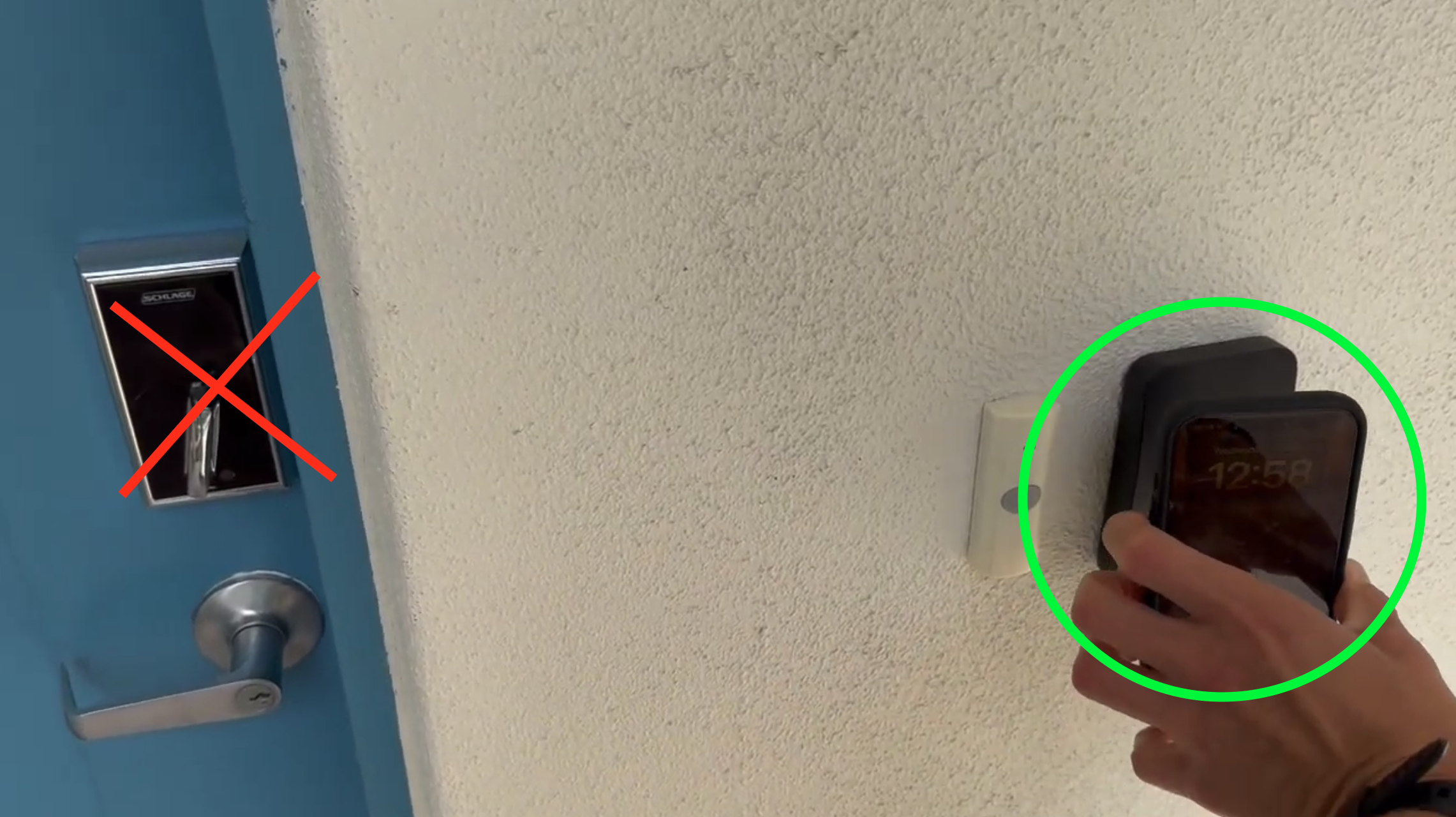
- After hearing the beep and see a white circle on the reader, pull the door towards you then push in - turning the handle doesn't work. See these videos for help!
- Make yourself at home!
Please make sure your guests are ready with their Avigilon Alta Open app before check-in. Please reach out to the Leasing Office with any questions, we're happy to help!
Pricing for bookable spaces is subject to change at any time.